

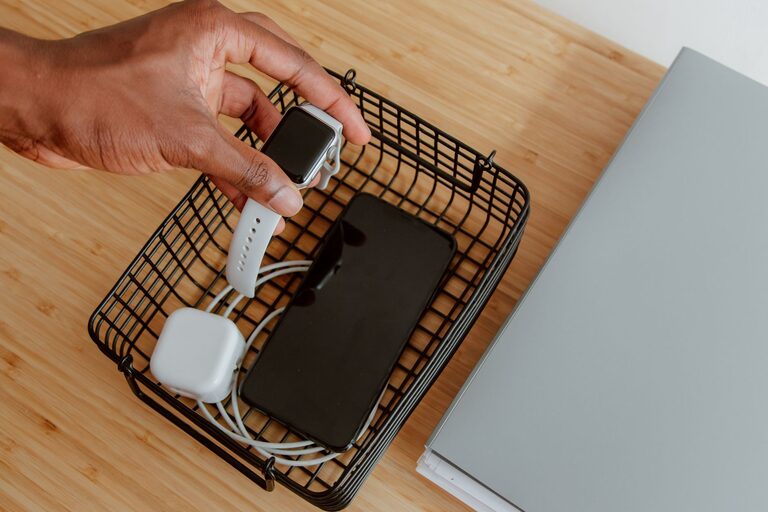
Setting up a dedicated charging station for your devices is a great way to keep your space tidy and ensure all your gadgets are ready when you need them. Whether you have smartphones, tablets, smartwatches, or other electronics, a well-organized charging station can reduce clutter, save time, and help manage cables effectively.
In this guide, we’ll walk you through everything you need to know to create your own charging station at home or in the office.
Why Set Up a Charging Station?
Before diving into how to set up a charging station, it’s helpful to understand the benefits:
– Organized Space: No more tangled cables or devices scattered across tables.
– Efficient Charging: Multiple devices can charge simultaneously in one spot.
– Easy Access: Quickly find and grab your devices without searching.
– Device Safety: Keeps devices off floors or crowded outlets, reducing risks of damage.
Step 1: Choose the Right Location
Location matters when creating a charging station. Consider these points:
– Near Power Outlets: Pick a spot close to a reliable electrical outlet to avoid stretching cords.
– Central & Accessible: A high-traffic area like a living room corner, kitchen counter, or home office desk works well.
– Ventilated Area: Some devices generate heat while charging, so good airflow helps prevent overheating.
– Away from Water Sources: Avoid spots near sinks or places where liquids could spill.
Step 2: Select Your Charging Equipment
To build the station, you’ll need charging tools that can handle multiple devices:
– Multi-Port USB Chargers: These chargers can power several devices at once, with different ports for USB-A and USB-C cables.
– Charging Dock or Stand: Choose a dock designed for your specific devices (like smartphones or smartwatches) to keep them upright and visible.
– Power Strip with Surge Protection: If you have many chargers or devices, a surge-protected power strip provides safety and additional outlets.
– Wireless Charging Pads: For compatible devices, wireless pads reduce clutter from cords.
Step 3: Organize Your Cables
Proper cable management is key to maintaining a clean charging station:
– Use Cable Clips or Holders: These keep cords from tangling and allow easy cable access.
– Label Your Cables: Attach small labels or color-coded tags to identify which cable belongs to which device.
– Cable Sleeves or Tubes: Bundle several cables together for a neat look.
– Velcro Straps: Adjustable straps help keep cables coiled when not in use.
Step 4: Set Up a Charging Station Base
You can use a piece of furniture or a dedicated tray:
– Small Table or Shelf: A compact table near an outlet can become your station.
– Charging Station Organizer: Look for organizers with slots, compartments, or drawers designed for devices and accessories.
– DIY Options: A repurposed box or wooden crate with drilled holes for cables can serve as a personalized base.
Step 5: Arrange Your Devices
Place your devices in a way that makes sense for your daily routine:
– Prioritize frequently used devices at eye level or on top.
– Keep device chargers separated if needed to avoid overheating.
– Make sure cables reach devices comfortably without being stretched.
Additional Tips to Maintain Your Charging Station
– Regular Cleaning: Dust and wipe the station to keep it neat and safe.
– Check Devices: Remove devices once fully charged to free up space.
– Upgrade Cables: Use high-quality cables to ensure faster, safer charging.
– Avoid Overloading Outlets: Distribute power load evenly to prevent electrical risks.
Sample Setup Ideas
Minimalist Desk Charging Station
– Multi-port USB charger with 4 ports.
– Small wooden stand with slots for phone and earbuds.
– Cable clips attached to the back edge of the desk.
Family Charging Hub in the Living Room
– Surge protector power strip on a side table.
– Charging dock for tablets and phones.
– Wireless charging pad for smartwatches.
– Cable sleeve bundling all cords neatly.
Conclusion
Creating a charging station tailored to your devices and space is simple and highly beneficial. With the right location, equipment, and organization, you can enjoy a clutter-free environment where your electronics stay powered and ready. Start with small steps and customize your charging station as your needs evolve!
By investing a little time now, you’ll save hassle later and keep your devices charged efficiently every day. Happy charging!