

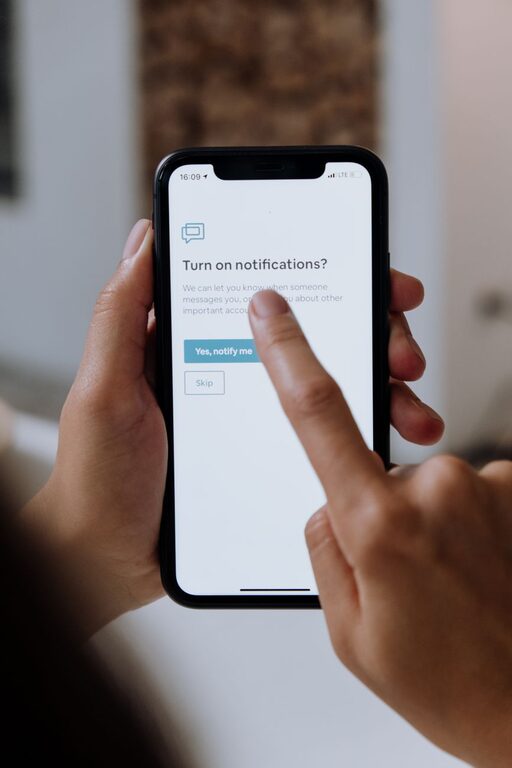
In today’s digital world, notifications are everywhere — from smartphones and email to social media and apps. While they can be useful to keep you informed, constant alerts can also be overwhelming and distracting. Setting boundaries with notifications helps you regain control of your time, reduce stress, and improve your focus.
In this post, we’ll explore practical tips to help you manage notifications in a healthy way, so you can stay productive without feeling constantly interrupted.
Why Setting Notification Boundaries Matters
Notifications are designed to grab your attention, but when they come too frequently or at inconvenient times, they can interfere with your work, rest, and personal time. Constant interruptions can:
– Break your concentration
– Increase stress levels
– Reduce productivity
– Affect your sleep quality
– Create a feeling of being “always on”
By setting clear limits on when and how you receive notifications, you can protect your mental space and create a better balance between staying informed and staying focused.
Assess Your Current Notification Habits
Before adjusting your settings, take a moment to review how notifications currently affect you:
– How many notifications do you get daily?
– Which apps send the most alerts?
– Are there alerts you ignore or find unnecessary?
– Do notifications interrupt your work or personal time?
Understanding your current patterns will help you decide what changes make the most sense.
Tips for Setting Boundaries with Notifications
1. Prioritize Notifications
Not all notifications are equally important. Decide which alerts you truly need to receive in real time and which can wait. For example:
– Important calls or messages from family and close friends
– Work-related emails or calendars during office hours
– Critical app alerts (e.g., security, banking)
Consider turning off or limiting notifications from social media, promotional emails, or apps that don’t require immediate attention.
2. Customize Notification Settings by App
Most smartphones and devices allow you to customize notification preferences per app. Take advantage of these settings to:
– Mute or silence certain apps
– Disable banner alerts or badges
– Restrict notifications to certain times
– Group notifications to view later
Customizing allows you to reduce unnecessary distractions while staying informed about what matters.
3. Use Do Not Disturb or Focus Modes
Built-in features like Do Not Disturb (DND) or Focus modes are great tools to block incoming notifications during specific periods:
– Activate DND during work hours, meetings, or focused tasks
– Schedule DND for evenings or nighttime to improve sleep
– Use Focus modes that allow only priority contacts or apps to break through
These modes help you create predictable times free from interruptions.
4. Set Specific Times to Check Notifications
Instead of reacting immediately to every alert, try batching your notification checks:
– Designate specific times during the day to review emails, messages, and updates
– Turn off push notifications outside these times
– Use silent or vibration mode the rest of the time
This approach reduces the urge to constantly check your phone or computer.
5. Turn Off Non-Essential Sounds and Vibrations
Sounds and vibrations are especially disruptive. Consider:
– Turning off notification sounds for less urgent apps
– Using visual alerts only, like banners that you can check later
– Lowering volume or setting your device to silent during focused periods
Reducing audio cues can minimize stress and help you focus.
6. Manage Email Notifications Smartly
Email is one of the biggest sources of notifications. Try these strategies:
– Unsubscribe from newsletters and promotional emails you no longer read
– Use filters to route non-urgent messages to specific folders
– Disable new email alerts, and check email on a set schedule
This keeps your inbox manageable and reduces constant pings.
7. Communicate Your Boundaries to Others
Let friends, family, and coworkers know about your notification preferences and availability:
– Share your DND or focus hours
– Set expectations about response times
– Use status messages to inform others when you’re unavailable
Clear communication helps prevent misunderstandings and respects your need for quiet time.
8. Review and Adjust Regularly
Your needs may change over time, so periodically revisit your notification settings:
– Assess which notifications you still find helpful
– Add or remove apps from your priority list
– Adjust DND schedules based on your routines
Regular check-ins ensure your settings remain effective.
Final Thoughts
Notifications don’t have to control your day. By setting thoughtful boundaries, you can enjoy the benefits of staying connected while protecting your focus, well-being, and personal time. Start small by tweaking a few settings today, and notice how much more in control you feel.
Remember: your attention is valuable. Guard it wisely by managing notifications in a way that supports your lifestyle and goals.